App blocker
The app blocker for musicians.
Practice first. Scroll later.
LogLock is the social media blocker built for musicians. Pick the apps that steal your practice time, like Instagram, TikTok or YouTube. They stay locked until you've practiced your instrument and logged the session. Then they unlock, and the next day the deal starts over.
How it works
Your apps stay locked until you've played.
Most screen time tools give you a timer and hope you respect it. LogLock gives you a clear trade instead: practice first, then your apps are back.
1. Choose what to block
Select the apps that pull you away from your instrument: social media, video, games, anything you like.
2. Set your practice goal
Decide how much practice earns your apps back: from five minutes to several hours a day. Twenty minutes is a good start.
3. Practice and log it
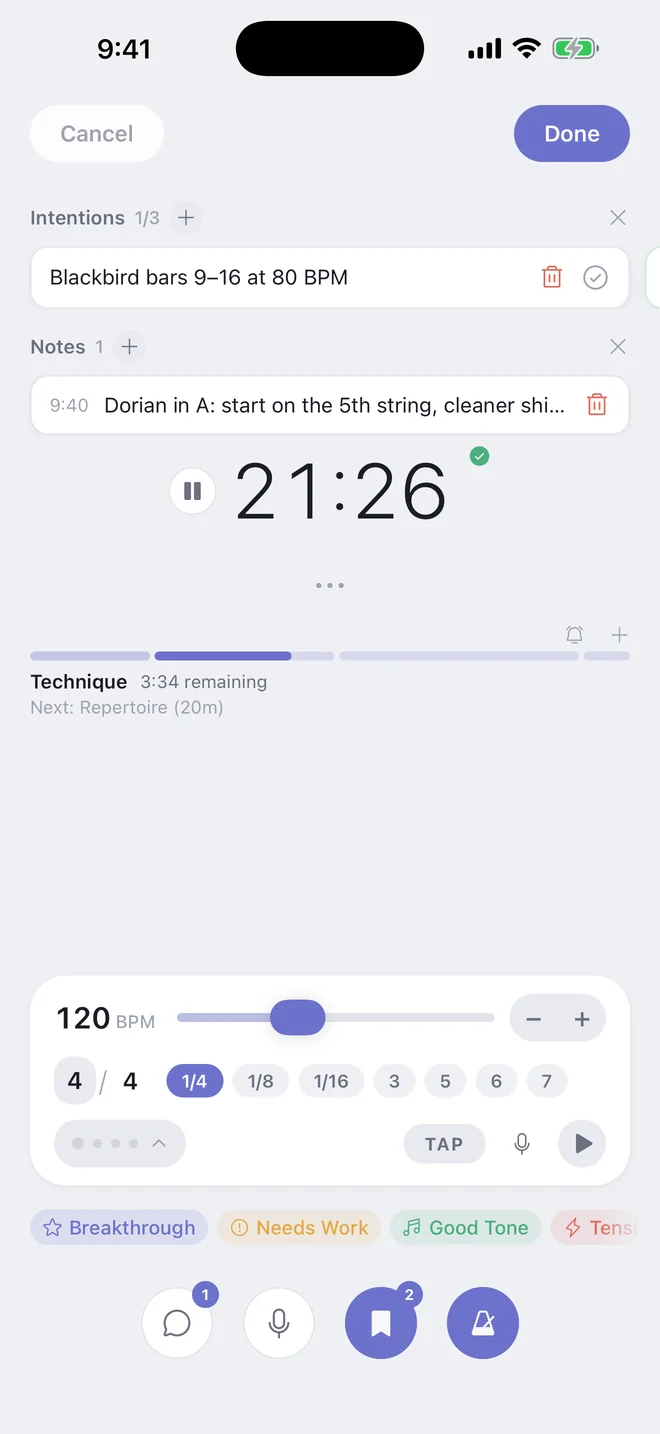
Run the built-in timer while you play. When you reach your goal, the session counts, and you can keep playing as long as you like.
4. Unlock and go
Your apps unlock for a set window: 24 hours by default. With LogLock Pro you set it to the minute, from 15 minutes to 48 hours. When it ends, they lock again.
Instagram, TikTok, YouTube
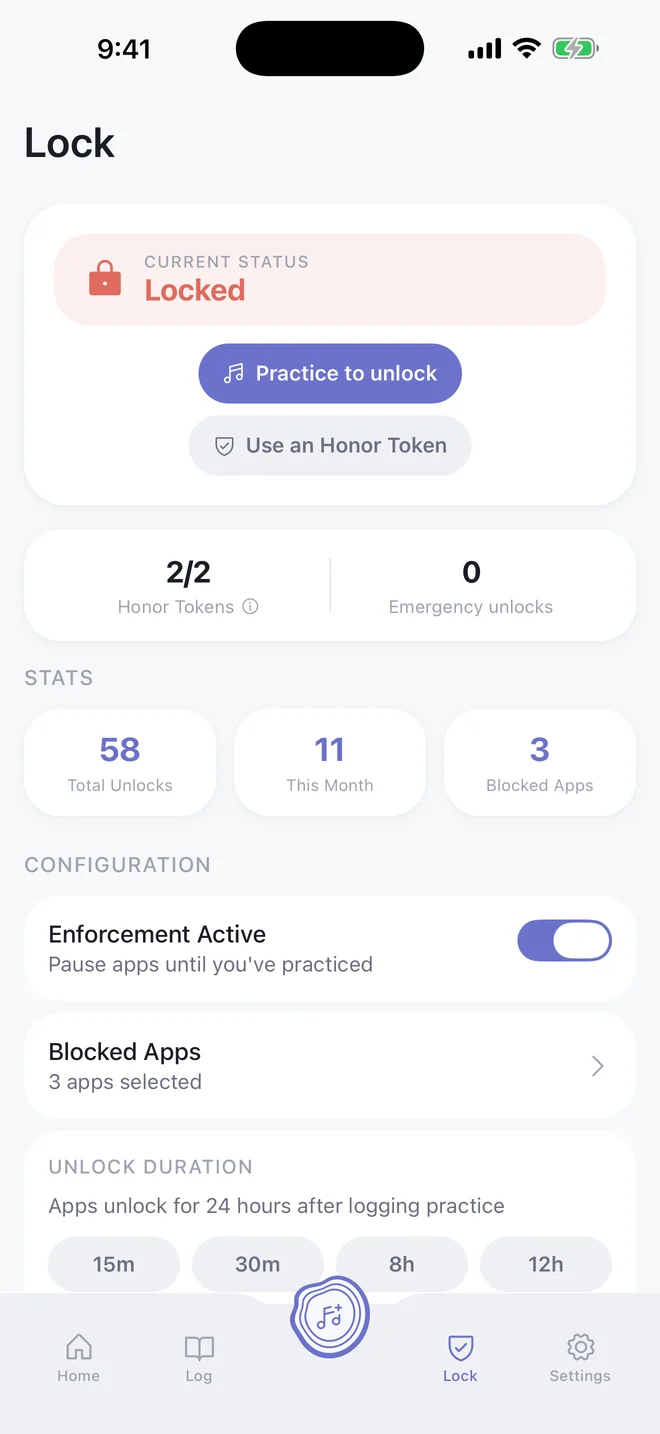
Block Instagram, TikTok and YouTube until you practice.
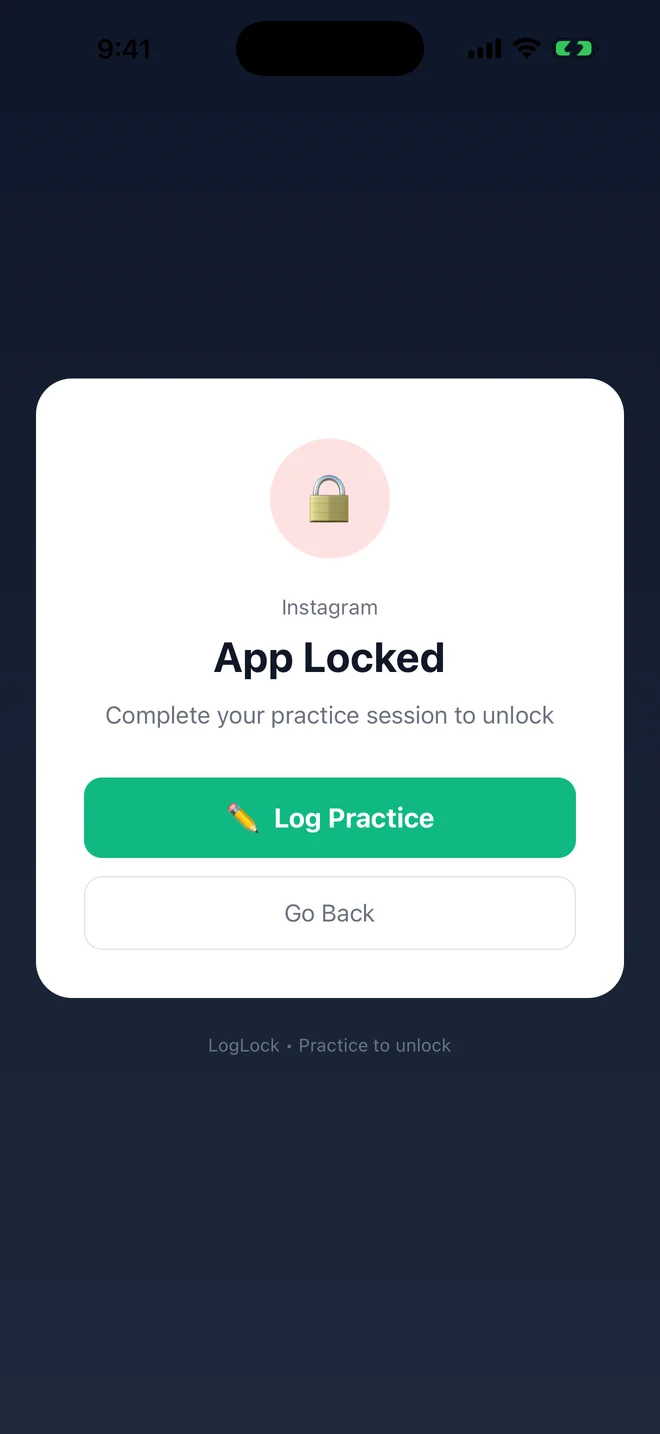
The feed is built to keep you scrolling. Ten minutes on Instagram turn into an hour, and the guitar stays on its stand. With LogLock, opening a locked app shows a calm block screen instead of the feed, with a direct way into your next practice session.
You decide which apps count as distractions. Instagram, TikTok and YouTube are the usual suspects, but games or any other app work the same way. Music apps you need for practice, like a play-along or a tuner, simply stay unblocked.
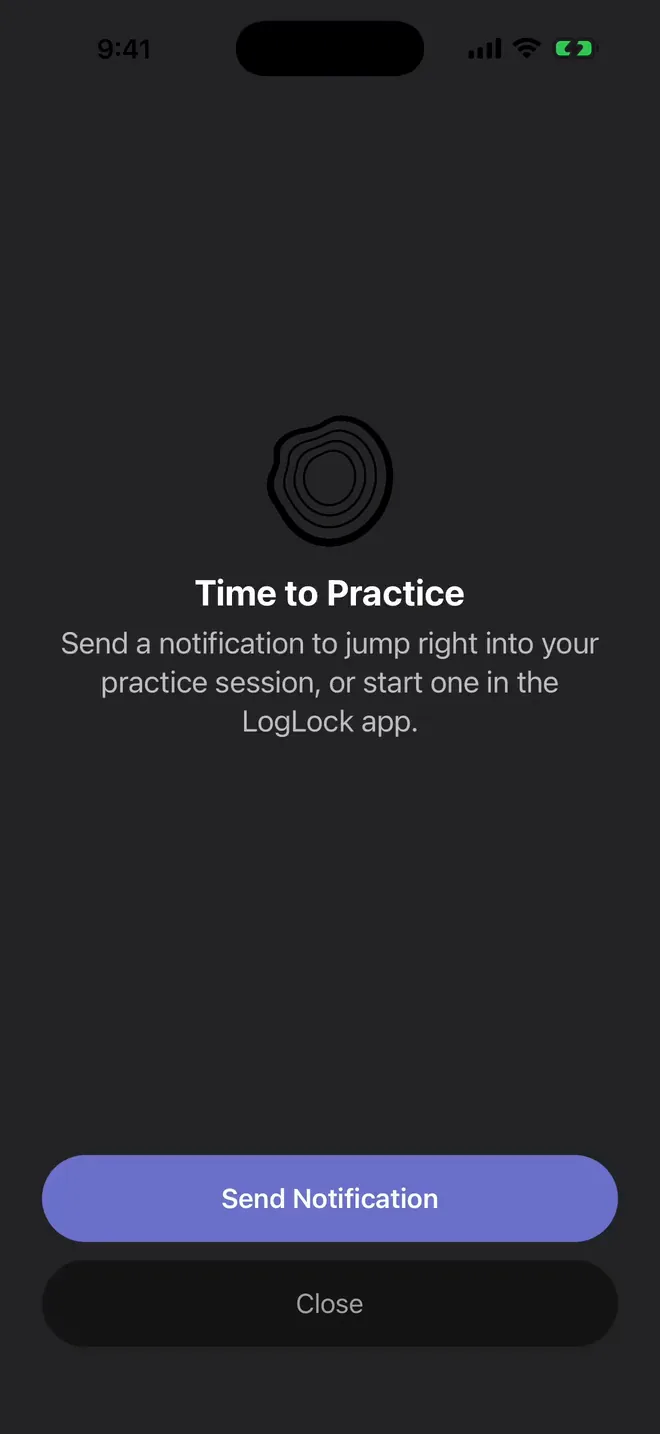
Straight into practice
On iPhone, “Open LogLock” on the block screen takes you straight to your practice session (before iOS 26.5, a notification does). On Android, “Log Practice” jumps right into LogLock.
No willpower needed
The decision is made once, when you set it up. After that, practicing is simply the way back to your apps.
No shame, no lectures
The block screen is calm and friendly. It just points you back to your instrument.
Always in view
On iPhone, a Live Activity shows your running session on the Lock Screen, and afterwards how long your apps stay unlocked.
Honor Tokens
For the days that don't go to plan.
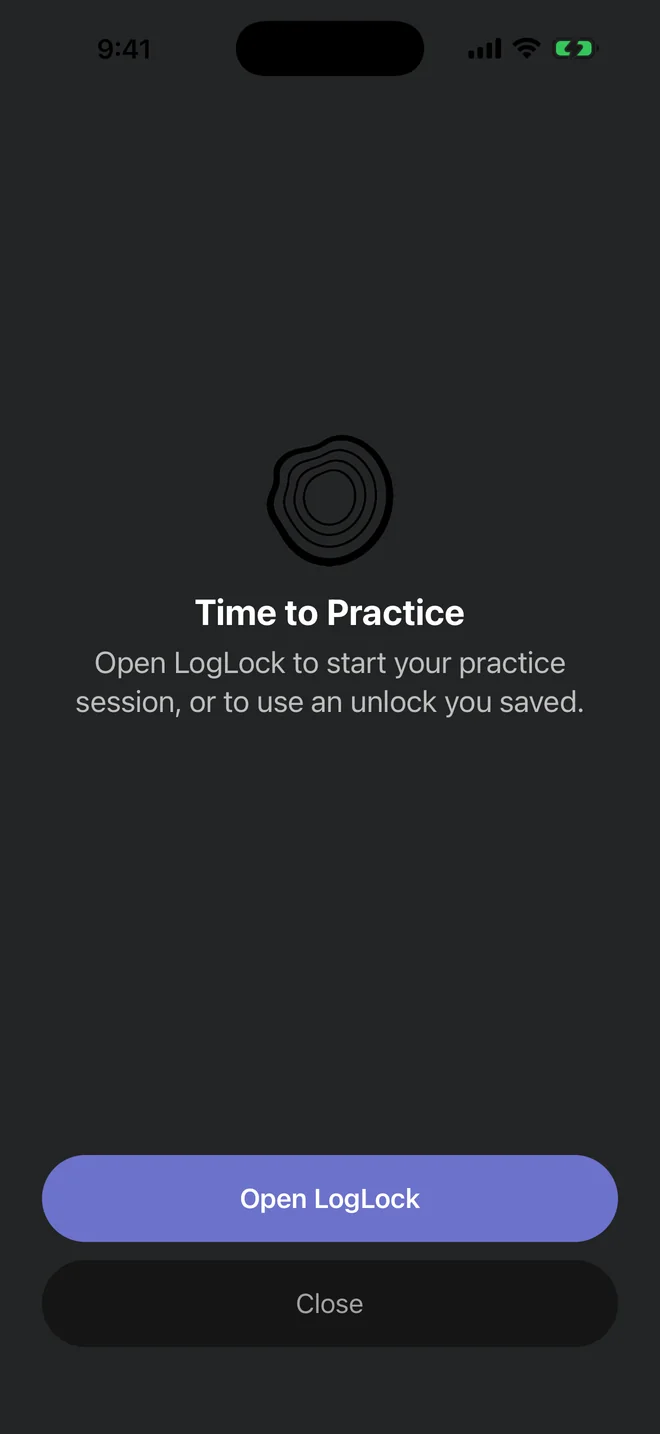
Real life doesn't always fit a rule. Maybe you practiced at a rehearsal without your phone, or you need a blocked app right now. That's what Honor Tokens are for: a small, honest allowance instead of a back door.
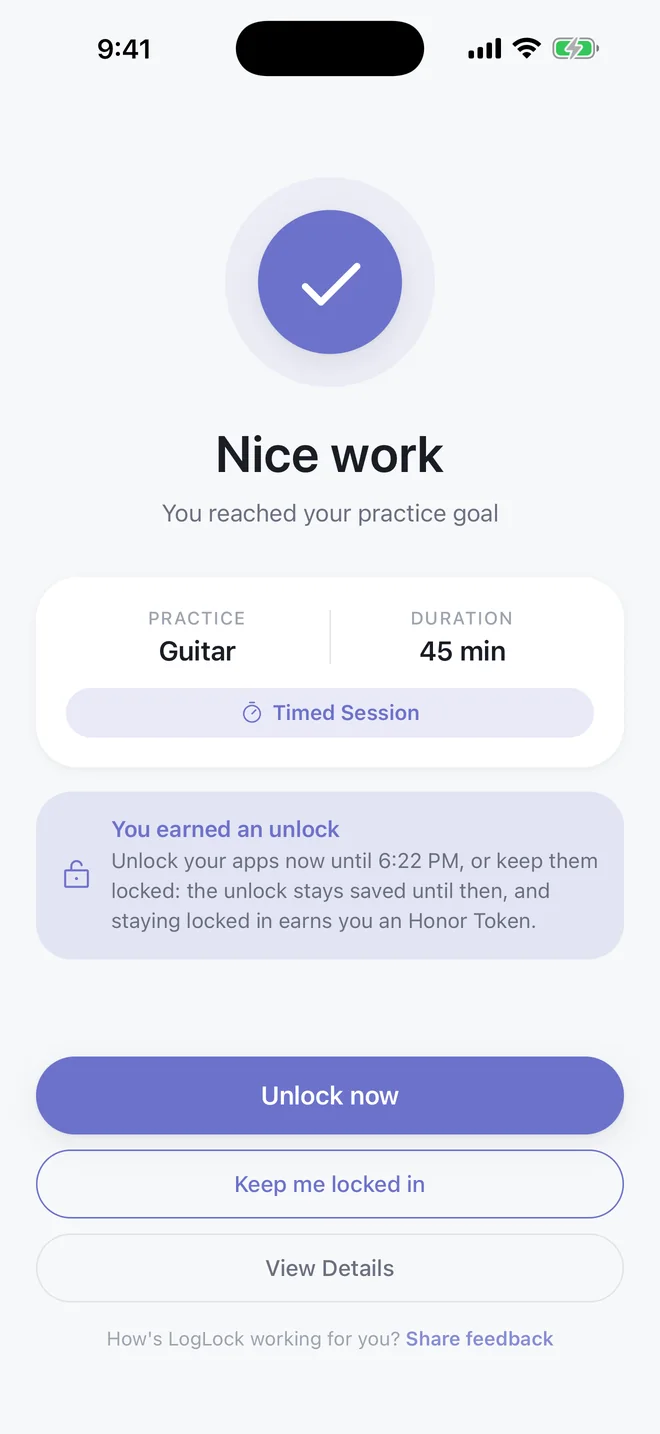
And if you'd rather stay focused after practicing, “Keep me locked in” leaves your apps locked. The unlock you earned isn't lost: it's saved, and you can use it later, until that session's unlock time is over.
Two tokens every week
Your tokens refill every Monday. The Lock tab shows how many you have left.
Log practice away from your phone
Practiced at a lesson or a gig? Log the session with the honor system. It costs one token.
Unlock in an emergency
Need a blocked app before you can practice? One token unlocks your apps.
Keep me locked in
Reach your goal, stay locked and earn a token. The saved unlock waits on Home and on the Lock tab, and LogLock offers it when you come from a locked app, until that session's unlock time is over.
iPhone and Android
Built on the system tools of your phone.
On iPhone, LogLock uses Apple's Screen Time API (iOS 16 or later). You choose the apps in Apple's own Screen Time picker, and blocked apps show a shield until you've practiced.
On Android, LogLock uses the Accessibility Service only to notice when one of your blocked apps opens, and covers it with the lock screen. Battery optimization on some phones (for example Xiaomi, Huawei or Samsung) can stop background services; the Lock tab tells you when a missing permission means your apps are not blocked, and takes you to the fix.
Private by design
LogLock never reads what you do inside other apps, and your app selection never leaves your phone.
Works without an account
Start blocking right away. An account is optional and only needed to back up and sync your practice log.
Stricter when you want it
LogLock Pro adds a settings lock: a cool-down before you can loosen your own rules in a weak moment.
More than a blocker
The practice that unlocks your apps is worth keeping.
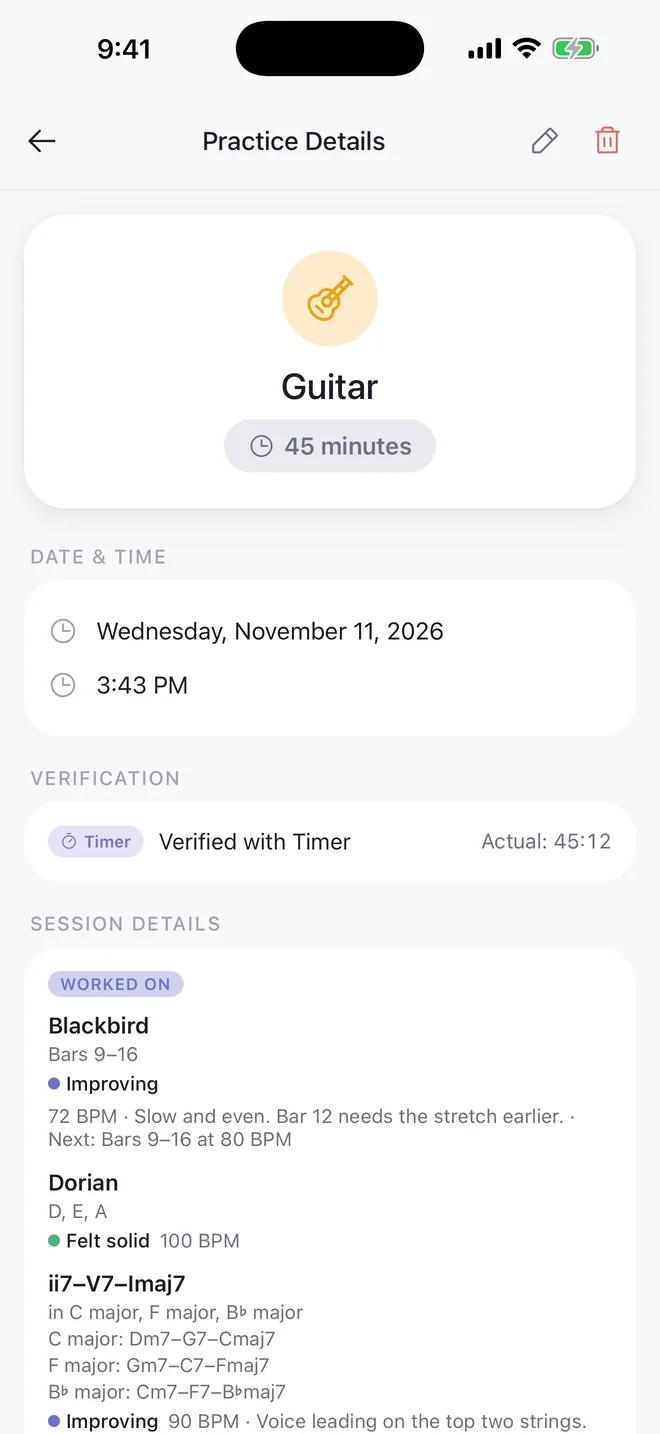
A blocker gets you to your instrument. What happens next is the part that makes you better. LogLock's timer runs a real practice session, and what you played ends up in a music practice journal instead of disappearing.
Explore the music practice journal
A session with a plan
Set intentions, split the time into segments like warm-up, technique and repertoire, and keep notes, recorder and metronome one tap away.
A journal that knows what you played
Pieces with the part you worked on, scales and chords with their roots, progressions with their key, tempo and how it went.
A map of your practice
Insights show your activity, your streak and which roots you've covered for each scale on the circle of fifths.
A habit that sticks
Streaks and a heatmap show how consistent you are. No perfect record required, just keep showing up.
FAQ
App blocker questions.
What is the best app blocker for musicians?
Most app blockers use timers or schedules. LogLock is built around your instrument instead: your distracting apps stay locked until you've logged a practice session, so the only way back to Instagram or TikTok is to practice first.
Which apps can I block?
Any app you choose. On iPhone you select them in Apple's Screen Time picker. On Android you pick from your installed apps.
Can I block Instagram until I've practiced guitar?
Yes. Add Instagram to your blocked apps and set your daily practice goal. Instagram stays locked until you've logged a session that reaches the goal, then it unlocks for your unlock window.
How long do my apps stay unlocked?
24 hours by default. With LogLock Pro you choose your own unlock window, from 15 minutes to 48 hours. When it ends, your apps lock again until your next session.
What if I practiced without my phone?
Log the session with the honor system. It costs one of your two weekly Honor Tokens, so it stays the exception. Sessions you time in the app never cost a token.
What does “Keep me locked in” do?
After a session that reached your goal, LogLock asks whether to unlock now or to keep you locked in. If you stay locked, you earn an Honor Token (you can hold up to two), and the unlock is saved: use it once, later, on Home, on the Lock tab or when you open LogLock from a locked app, until that session's unlock time is over.
Can I get around the block?
LogLock is an accountability tool, not a prison. You can spend an Honor Token, and you can always revoke the permissions in your phone's settings. LogLock Pro adds a settings lock with a cool-down, so loosening your rules takes a deliberate decision.
Is the app blocker free?
Yes. Blocking apps until you've practiced is part of the free plan, with no time limit, and so are the Honor Tokens. LogLock Pro adds your own unlock window, the settings lock, the metronome and the looper.
More in LogLock
One app for the whole practice routine.
Practice tools
Timer with segments, metronome, recorder, looper, notes and quick tags, all inside your session.
Musical map and insights
The roots you've covered for each scale, the keys of your progressions, your activity and your mood over time.
Free and Pro
Blocking, timer sessions and the journal are free. Pro adds the metronome, the looper and your own unlock window.
Practice first. Scroll later.
Pick your distractions, play your instrument, and earn your apps back.